 Activities & Play
 Behaviour
 Childcare
 Children's rights
 Development & Growing Up
 Family, Friends & Relationships
 Feeding Your Baby
 Food & Eating
 Health & Safety
 Mental Health & Wellbeing
 Money & Work
 Online Behaviour & Safety
 Pregnancy & First Days
 School & Education
 Sleep
Sleep


Jump to a section in this article

It seems like everyone’s talking about AI at the moment. But what is it, and how can you help your child stay safe if they use it?
What is AI?
AI stands for artificial intelligence. There are many different AI tools. These are computer programmes that can carry out complex tasks that in the past only humans could do. They do this by learning from lots of examples (called ‘training data’). AI tools can do things like recognise and create speech and text, make music, pictures and videos, translate from one language to another, and identify who or what is in a photo.
You may be using AI without realising it. For example, AI is probably controlling which videos and adverts you see on social media, or which programmes or films are recommended to you on a streaming service. If you search for the answer to a question online, you may have noticed an AI answer at the top of your search results. If you’ve ever used a chatbot on a website, social media or messaging app, this is also an AI tool. Chatbots and other AI tools that can create content, like text, speech, music and images, are known as Generative AI or Gen AI.
How do AI tools work?
Gen AI tools learn by recognising patterns in training data. For example, a tool trained on millions of text conversations can learn that the word 'cat' is very likely to come after the phrase 'the dog chased the...'
If you ask a Gen AI tool to do something, like write a message or answer a question, it uses its training to predict the most likely response for you. Some Gen AI tools can also gather new data by searching online. The tool doesn’t understand the meaning of language and it isn’t thinking like a human. This means that the information it provides isn’t necessarily correct, although it’ll sound very convincing!
This article from SWGfL explains more about what AI is and how it works. You can also sign up for the free ‘Living with AI’ course from the Scottish AI Alliance.
Benefits of AI
There are lots of ways Gen AI tools can help us in our day to day lives:
- It can give us ideas – for example, you could ask a Gen AI tool for three tasty recipes for your dinner using ingredients you have in the fridge. Or you could ask for ideas to have fun as a family at home on a rainy day.
- It can save us time – for example, you could ask it to plan your meals for the week and write you a shopping list.
- It can explain complicated things in a simple way – handy if your child is asking you difficult questions (‘Why is the sky blue, mum?’ ‘Do dogs go to heaven?’).
- It can engage and inspire children – if your child is curious or excited about something (like dinosaurs or space), they can have a ‘conversation’ about it with an AI bot and learn new things.
- It can be fun – our tips below suggest some ways you can use AI to have a fun as a family.
Dangers of AI
It can say things that aren’t true
A Gen AI tool doesn’t know what is true, accurate or correct. It doesn’t know the ‘right answer’ or the best advice for you. It may have been trained on misinformation. It does not have common sense or knowledge of the world.
For example, a Gen AI tool may state that something is a fact, when it is not, or it might make a dangerous recommendation but confidently say that it is safe. It may create a picture or video that looks real, but is not.
So it’s always important to check the information it gives you with other sources you trust, and not to rely on it for important things like health advice.
It may show inappropriate content
Some Gen AI tools can create text or images or engage in conversations that are inappropriate for children. Our page on what to do if things go wrong online has advice on how you can report inappropriate content.
It can be biased
A Gen AI tool doesn’t know whether the information it is trained on is biased or discriminatory. This means it can produce biased information – for example, if you ask it to draw a picture of a Chief Executive, it will usually draw a man.
It can be used to deceive, blackmail or bully
Generative AI tools can be used to harm people, for example, by creating scam emails. ‘Deep fake’ images (which look real, but are not) can be used to harass, bully or trick people. They can also be used for blackmail (see our page on sextortion explains more about this). Sexual imagery of under-18s is illegal, even if it is entirely fake and created using an AI tool.
It can be very persuasive
Gen AI tools that create text or speech (chatbots) have a powerful ability to persuade. They can influence a person’s opinions or beliefs. Unlike simply watching a video or reading a search result, you have a real-time conversation with a sophisticated tool that mimics human conversation. It feels like you’re talking to a real person.
Because a chatbot has been trained on vast amounts of human text, it is able to expertly negotiate, generate arguments or justify a certain viewpoint. It may also be able to use data about the person using it, such as their interests or worries, to shape its responses, or to make an emotional appeal to that person.
Some chatbots include advertising. Some may have a business goal, for example:
- answering common customer questions
- being agreeable so the user stays in the app
- persuading the user to buy something.
So it’s a good idea to talk to your child about the chatbots they’re using, for example in social media and messaging apps, and what they use them for. Help them check their privacy settings and make sure they understand that it’s best to talk to a trusted adult if something is worrying them.
It can have a negative impact on the environment
AI has lots of potential to help combat climate change. For example, it can monitor the environment and help governments and businesses make more sustainable choices. But Gen AI tools have a negative impact on the environment because a lot of water and electricity is used. There is also electronic waste.
So while it can be fun to play with, it’s best to bear this in mind and use Gen AI tools responsibly.
Tips for helping children use AI safely
Tip #1: Talk to your child about AI
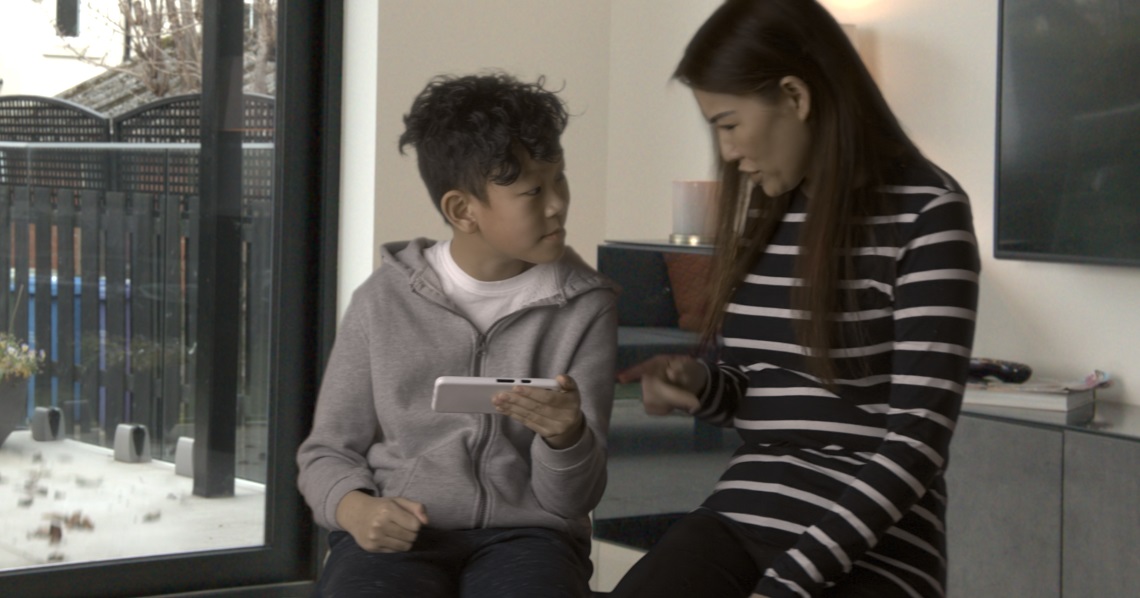
As with all aspects of online safety, it’s important to talk to your child about the benefits and risks of using AI. If you’ve not talked to them about it before, you could ask them if they’ve ever used an AI tool, and if so, what they’ve used it for. You could ask them to show you how they use the tools – they’ll probably enjoy being the expert!
Our page on talking to your child about online safety has more tips to help these conversations.
Tip #2: Check the age restrictions on AI tools
Most Gen AI tools have age restrictions. For example, ChatGPT is not meant for children under 13, and those aged 13-18 need a parent’s consent to sign up.
Tip #3: Help them understand AI is there to help, not do the work for them
If your child needs to write a story or a poem or an essay, AI can write it for them. But they won’t be learning anything this way, and their school may well spot that they haven’t written it themselves. So it’s important to remind your child that AI can make mistakes, and they still need to check what it tells them, make up their own mind about things and have their own ideas.
Tip #4: Tell them not to enter personal information
It’s important to check the privacy and advertising settings of any tools you or your child uses, for example, whether the tool can access personal data or use your conversation with it for future training purposes. Children shouldn’t put in any personal information, like their name, address or school.
Tip #5: Remind them not everything is real or true
As we’ve seen, Gen AI tools can confidently say things that are not true. They can also be used to mislead people by producing information or images that look real but aren’t. So it’s important to remind your child regularly that just because they’ve seen something online, it doesn’t mean it’s true.
Talk to your child about trusting their instincts. If a person or chatbot online asks them to do something that seems odd or inappropriate, they should stop using the app and get help.
You can use AI to help them learn to look at information critically. For example, they could ask AI something, and then check the answer on a website they trust to see if the answers match up. Our page on mis- and disinformation and 'fake news' has more advice to help your family work out what's true and what's not online.
AI is being used a lot now by scammers. You can find out more about helping your child protect themselves from online scams on the Internet Matters website.
Tip #6: Remind them they can always talk to a real person
Some children and young people use AI or chatbots to ask questions or get advice about things they’re embarrassed or worried about, because they don’t want anyone else to know. This can be helpful, but it’s important to remind them that AI tools don’t have real human emotions and they are not a friend. A computer programme can’t understand what they’re going through, and the advice it gives may not always be in their best interests.
So it’s good to let them know that they can always talk to you, or another trusted adult like a family member, friend or teacher. And they can always talk anonymously and confidentially to a counsellor at Childline.
Tip #7: Remind them to be kind online
Children may think it’s funny to ask AI to write a song making fun of a friend, or generate a picture of grandma on the loo, so it’s good to remind them to be kind when they’re using AI tools and to think about other people’s feelings. How would they feel if someone shared a picture of them looking silly?

5 ways to have free family fun using AI tools
Here are some fun things you can try as a family – and yes, we did ask AI for some ideas!
After you try these activities, you could talk with your child about what surprised them. What did the AI tool get right, and what did it get wrong? This helps build critical thinking about AI while still having fun and staying safe.
#1: Create a family story adventure
Take turns adding a sentence to a story, then ask an AI tool to continue the narrative in surprising ways. You could create characters based on family members and see what adventures the AI sends them on! You could use nicknames for family members, so you’re not putting any personal information into the tool.
#2: Have a quiz night
Ask an AI to generate quiz questions tailored to your family's interests and knowledge levels. You can request rounds on favourite films, books, history, science, or even personalised questions about family memories and experiences. But remember to check any answers you’re not sure about with a trusted source!
#3: Song lyrics
Challenge everyone in the family to write a song about the family pet, a family member or something the family enjoys doing together, and then ask an AI tool to have a go too. You could ask AI to write the song in the style of different artists, like Taylor Swift or Ed Sheeran. Whose song is the best?
#4: Treasure hunt
Use an AI tool to generate riddles or clues for a scavenger hunt around your home, garden or local park. This will not only get the kids thinking, it’ll get them moving too!
#5: Time travel with AI
Ask an AI tool to pretend to be a historical figure, like Robert the Bruce or Cleopatra. Then ask the person questions about their life and what it was like to live in their time. A great way for the whole family to learn together – and also to remind your child that just because someone says they’re a certain person online, it doesn’t mean they really are!
Find out more
You can find out more about using AI safely on the following websites:
The Scottish AI Alliance has helpful teaching packs about AI that are fun to try at home. TRAILS also offers lots of resources about AI for teachers that you can look at at home too.







 School & Education
 Mental Health & Wellbeing